Atlas
Freight forwarding client portal
Connect shippers and forwarders through shipment tracking, customs documents and exception updates.
Concept study with a fictional brand and illustrative data; not a client delivery.
The challenge
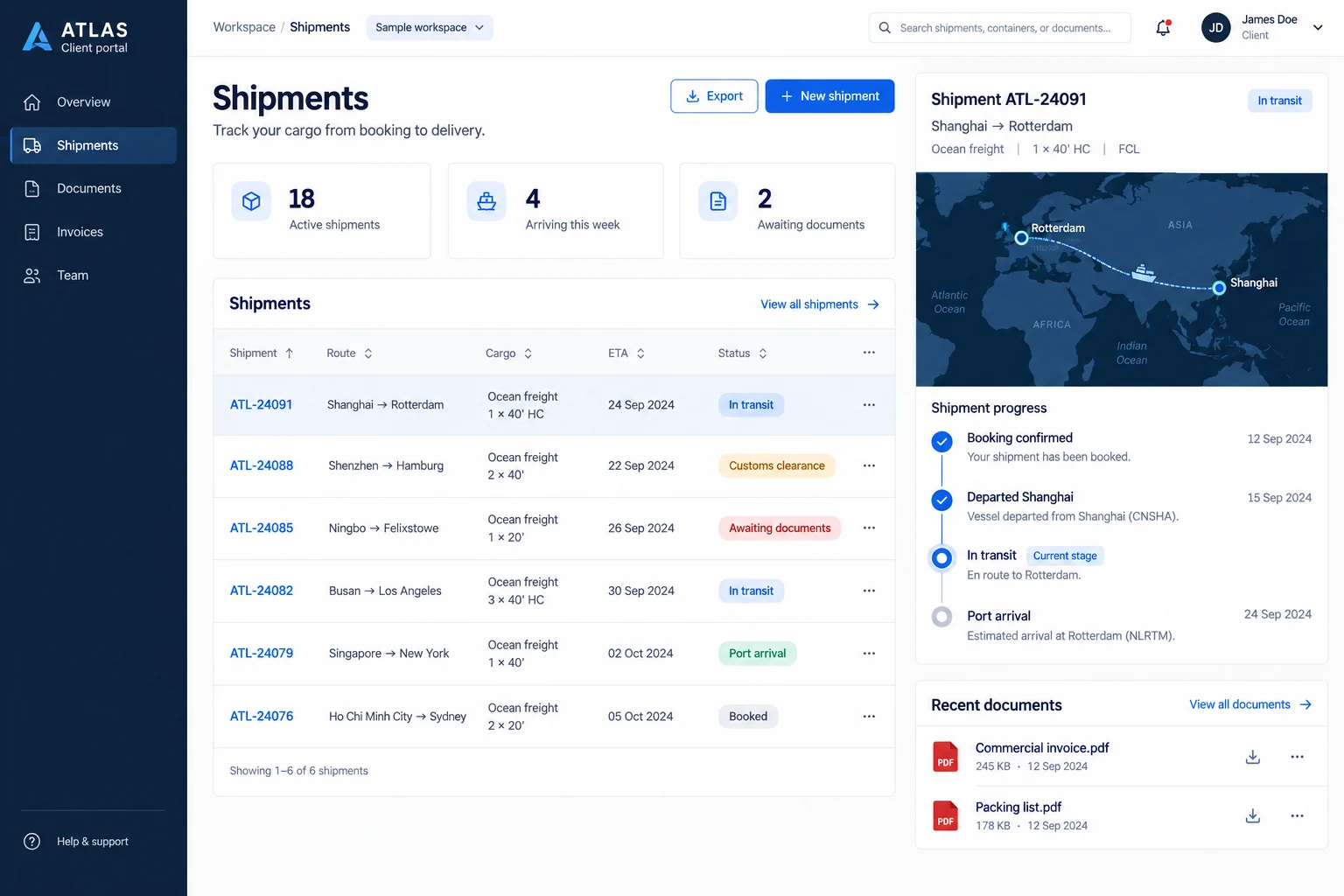
Shippers repeatedly ask for ETAs while customs paperwork is scattered across email. When a packing list is missing, the required action and its owner are unclear.
The approach
Organize origin, destination, ETA and tracking events around each shipment. A document checklist exposes missing paperwork, staff record exceptions, and account permissions keep each client’s cargo separate.
Functional scope & business rules
Proposed requirements for the illustrated scenario, ready for a scoping discussion. Rules and integrations are agreed before implementation.
User roles
Shipper contacts, forwarding operators and client administrators
Typical workflow
- 1Create shipment
- 2Complete documents
- 3Track events and exceptions
- 4Confirm arrival and archive
Shipment search and detail
Filter by reference, origin, destination, ETA and status. Each record brings together cargo mode, container quantities, documents and its operator; returning to the list preserves the filter.
Tracking events and ETA changes
Record booking, departure, transit and arrival with event time and source. Keep previous ETA values and the last update time; flag stale information for verification.
Document checklist and versions
Configure required commercial invoices and packing lists. Uploads await operator review; rejection includes a reason. A replacement retains the uploader, timestamps and earlier versions.
Exceptions and ownership
Missing paperwork, customs delays and schedule changes create assigned actions with deadlines. Uploading a file does not close the exception until an operator verifies the resolution.
Linked invoices and downloads
Show invoice reference, currency, charges, due date and finance-confirmed payment state per shipment. Grant billing access separately from document access rather than assuming every operations contact can see invoices.
Account separation and notifications
Administrators invite their company’s members and assign viewing, uploading or billing access. ETA changes and rejected documents trigger in-app alerts; optional email recipients and delivery failures are recorded.
ATL-24085 is missing a packing list. The shipper uploads a replacement; the operator reviews it and closes the missing-document action. Document approval changes the paperwork state while the cargo can remain in transit.
Suggested acceptance checks
- A user from client A cannot open client B’s shipment or download its files, even with the URL.
- Replacing a packing list retains versions, reviewer and rejection reasons.
- An ETA revision preserves its change history without rewriting historical transport events.
Integrations & scope decisions
Carrier or TMS feeds depend on available APIs, update frequency and fees. Without them, use controlled imports or manual updates. The map is illustrative, not live GPS; payment, customs filing and carrier booking are outside the default scope.
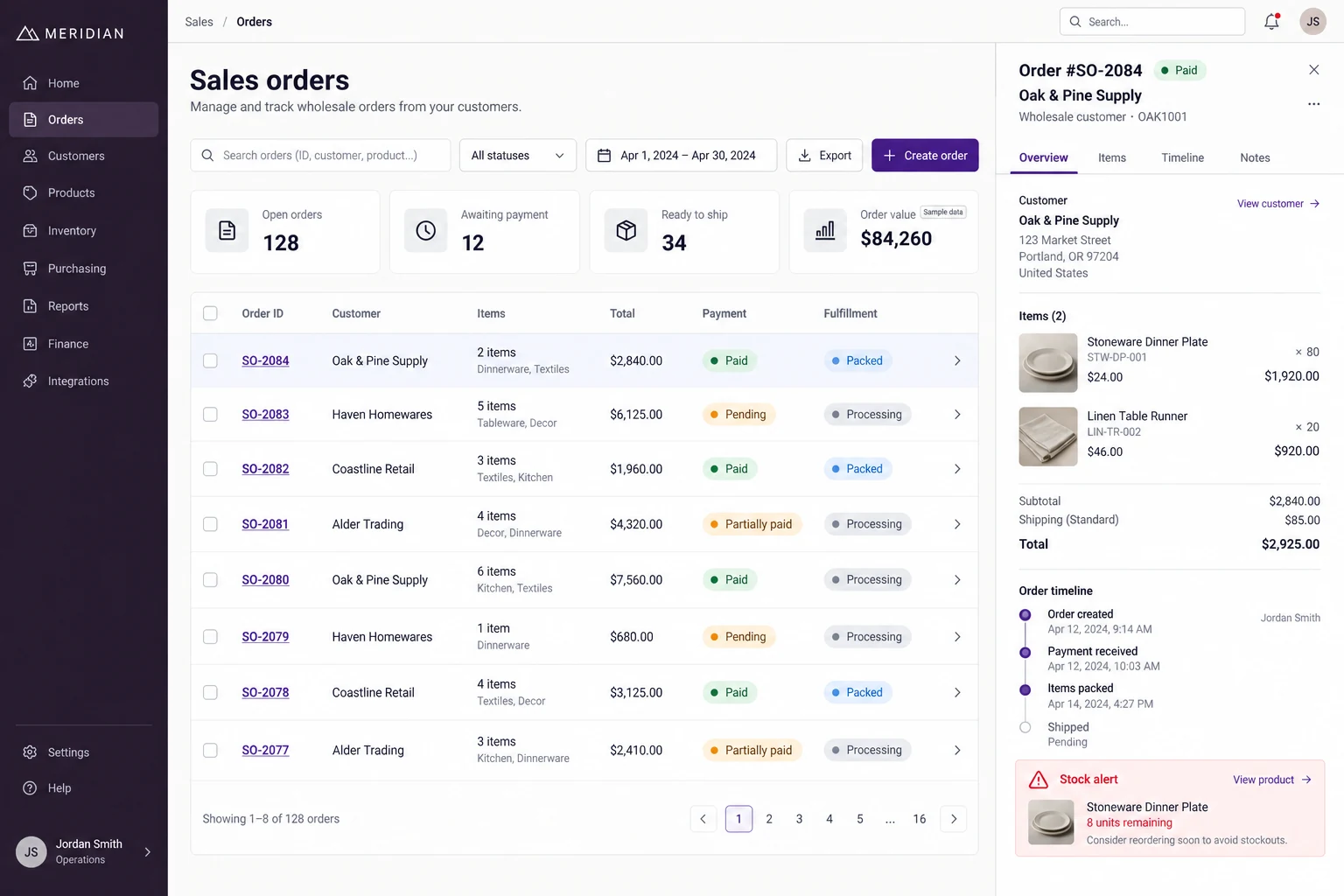
MeridianWholesale orders & inventory
Connect customer orders, payment checks, warehouse preparation and dispatch for a homewares wholesaler.
Explore case study
NorthlineArchitecture studio website
Present residential and commercial architecture through project photography, categories and dedicated stories.
Explore case study